
In 2026, over 5.3 billion people use the internet daily, and 71% of small businesses now have a website. Yet, many still believe creating a website requires coding skills or a hefty budget. The truth? You can launch a professional, fully functional website in under an hour—without spending a dime.
The rise of free website builders has democratized web design, allowing entrepreneurs, artists, and hobbyists to establish an online presence effortlessly. But not all platforms are equal. Some offer drag-and-drop simplicity, while others provide advanced features like SEO tools and e-commerce integrations. The question isn’t whether you can create a website for free—it’s how to do it strategically.
This guide will walk you through the best online web tools to build a website, compare top platforms, and reveal insider tips to maximize your site’s potential. By the end, you’ll know exactly how to create a website free of cost—and make it stand out.
Why a Free Website Builder Is the Smart Choice in 2026
Gone are the days when building a website meant hiring developers or wrestling with HTML. Today, free website builders eliminate technical barriers, offering templates, hosting, and even custom domains at no upfront cost. But why should you choose a free tool over paid alternatives?
First, cost efficiency is unmatched. Small businesses and startups often operate on tight budgets, and free plans allow them to test ideas before investing. Second, speed and convenience matter. With pre-designed templates and intuitive editors, you can launch a site in hours—not weeks. Finally, scalability is built-in. Most free builders let you upgrade seamlessly as your needs grow.
However, free doesn’t always mean limitless. Some platforms restrict storage, bandwidth, or features unless you upgrade. The key is selecting a builder that aligns with your goals—whether it’s a portfolio, blog, or online store.
Industry Insight: According to a 2025 Website Builder Expert report, 63% of users start with free plans before upgrading, proving that no-cost options are a low-risk entry point.
Top Free Website Builders in 2026: A Detailed Comparison
Not all free website builders are created equal. Here’s a breakdown of the best options, their strengths, and potential limitations:
1. Wix – Best for Creative Freedom
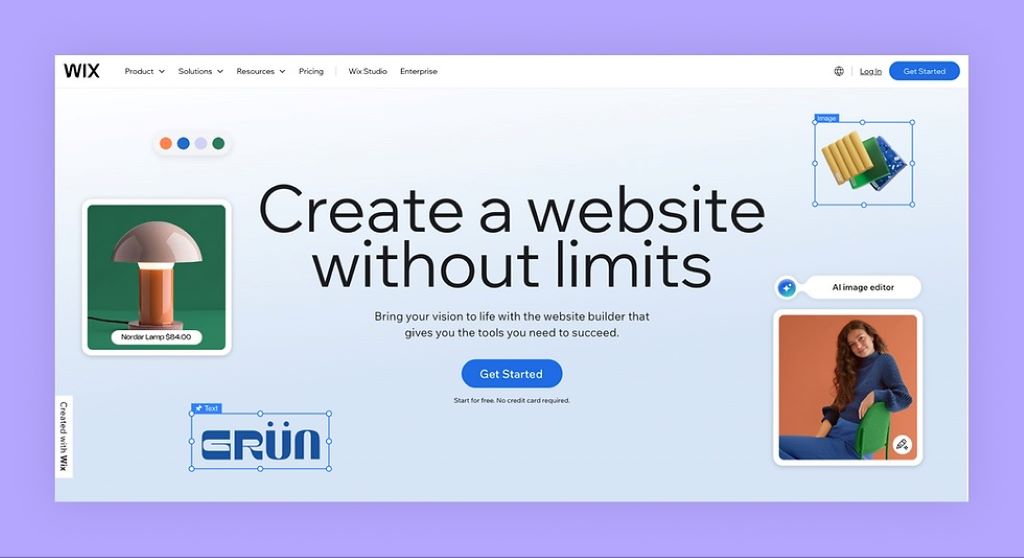
Wix dominates the market with its drag-and-drop editor and 900+ customizable templates. Its free plan includes hosting, a Wix-branded subdomain, and basic SEO tools. However, storage is limited to 500MB, and ads appear on your site.
Best for: Artists, small businesses, and personal brands.
2. WordPress.com – Best for Bloggers & Content Creators
WordPress.com offers a free plan with 3GB storage and dozens of themes. It’s ideal for bloggers due to its robust content management system. The downside? Customization requires some learning, and plugins are restricted unless you upgrade.
Best for: Writers, journalists, and content-heavy sites.
3. Weebly – Best for E-Commerce Beginners
Weebly’s free plan supports basic online stores, making it rare among no-cost builders. You get a Weebly subdomain, SSL security, and inventory management. However, transaction fees apply unless you upgrade.
Best for: Small retailers, crafters, and dropshippers.
4. Google Sites – Best for Simplicity & Integration
Google Sites integrates seamlessly with Google Workspace, offering a no-frills, ad-free experience. It lacks advanced design features but excels for internal projects, portfolios, or event pages.
Best for: Students, educators, and quick project sites.
5. Carrd – Best for Single-Page Websites
Carrd specializes in one-page sites, perfect for landing pages or digital business cards. Its free plan allows three sites with basic customization. Upgrading unlocks domains and forms.
Best for: Freelancers, consultants, and minimalist portfolios.
Pro Tip: Always check a builder’s export policy. Some (like Wix) don’t let you download your site if you leave, while others (like WordPress) allow full data portability.
Step-by-Step: How to Create a Website Free in Under an Hour
Ready to build? Follow this foolproof process to launch your site quickly:
1. Define Your Website’s Purpose
Are you showcasing a portfolio, selling products, or sharing a blog? Your goal dictates the builder and template you choose. For example, Weebly works best for stores, while WordPress suits blogs.
2. Pick a Builder and Sign Up
Select a platform from the list above. Sign up with your email—no credit card required. Most builders offer onboarding tutorials to guide you.
3. Choose a Template
Browse templates by category (e.g., “Business,” “Portfolio”). Pick one that’s mobile-responsive—over 60% of web traffic comes from phones.
4. Customize Your Design
Use the drag-and-drop editor to:
- Add text, images, and videos.
- Adjust colors and fonts to match your brand.
- Organize sections for clarity (e.g., “About,” “Services,” “Contact”).
Expert Trick: Use high-quality, free stock images from sites like Unsplash or Pexels to elevate your design.
5. Optimize for SEO
Even free sites need visibility. Use the builder’s SEO tools to:
- Add a meta title and description (under 160 characters).
- Include keywords naturally in your content (e.g., “free website builder”).
- Submit your sitemap to Google via Google Search Console.
6. Publish and Share
Hit “Publish,” and your site goes live on a free subdomain (e.g., yoursite.wixsite.com). Share the link on social media, email, or business cards.
Real-World Example: A freelance photographer used Carrd’s free plan to create a portfolio in 30 minutes. Within a month, she booked three clients—all from her website link in her Instagram bio.
How to Make Your Free Website Look Professional
A free site doesn’t have to look cheap. Use these strategies to create a website free of amateur mistakes:
1. Invest in a Custom Domain (Later)
Free subdomains (e.g., yoursite.wordpress.com) work for starters, but a custom domain (e.g., yoursite.com) builds credibility. Many builders offer discounts for first-time buyers.
2. Remove Builder Branding
Some free plans display ads or builder logos. If possible, upgrade to remove them—or use a builder like Google Sites, which stays ad-free.
3. Use High-Quality Visuals
Blurry images scream “unprofessional.” Use Canva to design graphics or Remove.bg to clean up product photos.
4. Keep Navigation Simple
Limit menus to 5-7 items. Confusing layouts drive visitors away. Test your site’s usability with friends or tools like Hotjar.
5. Add Social Proof
Include testimonials, client logos, or a LinkedIn badge to build trust. Even a free site can look authoritative with the right elements.
Common Mistakes to Avoid When Using Free Web Tools
Even the best online web tools can lead to pitfalls if misused. Steer clear of these errors:
- Ignoring mobile optimization: Over 50% of users will leave a site if it’s not mobile-friendly. Always preview your site on phones.
- Overloading with features: Free plans have limits. Adding too many elements (e.g., videos, apps) can slow down your site.
- Skipping backups: Some builders don’t auto-save. Manually back up your content or use Google Drive for storage.
- Neglecting analytics: Install Google Analytics (free) to track visitors. Data helps you improve over time.
Top 5 Free Website Builders: Quick Reviews
| Builder | Free Plan Storage | Key Features | Best For |
|---|---|---|---|
| Wix | 500MB | Drag-and-drop, 900+ templates | Creative professionals |
| WordPress.com | 3GB | Blogging tools, plugin options | Writers, journalists |
| Weebly | 500MB | E-commerce, inventory tools | Small retailers |
| Google Sites | Unlimited* | Ad-free, Google Workspace integration | Students, teams |
| Carrd | 3 sites | Single-page focus, minimalist designs | Freelancers |
*Google Sites storage depends on your Google Drive capacity.
FAQs: Your Pressing Questions Answered
1. Can I really create a website free forever?
Yes, but with limitations. Free plans often include subdomains, ads, and storage caps. For full control, consider upgrading later.
2. Which free builder is best for an online store?
Weebly is the top choice for e-commerce beginners. It supports product listings and payments, though transaction fees apply.
3. How do I get a custom domain for free?
Some builders (like GitHub Pages) offer free domains with .github.io extensions. For .com domains, check Freenom or builder promotions.
4. Can I switch builders later without losing my site?
It depends. WordPress and Google Sites allow exports, but Wix and Weebly lock your content. Always back up your data.
5. Are free websites bad for SEO?
Not necessarily. Free sites can rank well if optimized properly. Focus on keywords, mobile speed, and quality content.
6. How do I add a contact form to my free site?
Most builders (e.g., Wix, Weebly) include free form tools. For advanced options, use Google Forms or Typeform.
7. Can I monetize a free website?
Yes, but options are limited. Use affiliate links, ads (if allowed), or PayPal buttons for donations. E-commerce requires an upgrade.
Related Topics:
- Vital Points About Website Development: Guide for Success
- Modern Web Development Trends: What’s Shaping the Future of the Web
Conclusion: Your Website Awaits—Start Building Today!
Creating a website in 2026 is easier than ever, thanks to powerful free website builders and online web tools. Whether you’re launching a business, showcasing your art, or sharing your thoughts, the right platform can turn your vision into reality—without breaking the bank.
Remember: Start simple, focus on value, and scale as you grow. Your website is a living project, not a one-time task. Experiment with designs, track your progress, and don’t fear upgrades when the time comes.
Ready to begin? Pick a builder from this guide, follow the steps, and launch your site today. Once it’s live, share your link in the comments—we’d love to see what you create!