
You’ve spent months creating valuable website resources—eBooks, templates, tools, or courses—only to see them gather digital dust. The problem isn’t the quality of your content. It’s how you share it. A Content Marketing Institute study found that 70% of marketers struggle to distribute content effectively, leaving potential leads, customers, and revenue on the table.
Here’s the hard truth: Creating resources is only half the battle. Without a strategic plan to share web resources, your content won’t reach its intended audience, no matter how valuable it is. The difference between resources that drive results and those that flop comes down to distribution. This guide isn’t about blasting your content everywhere and hoping it sticks. It’s about understanding your audience, choosing the right platforms, and leveraging content sharing tools to maximize reach and engagement.
You’ll learn how to identify the best channels for your resources, optimize them for sharing, and automate distribution to save time. By the end, you’ll have a blueprint to turn your website resources into lead magnets that attract, engage, and convert.
The Science of Sharing Website Resources: What Works and Why
The Attention Economy: Why You Have Three Seconds to Capture Interest
The average human attention span is now shorter than a goldfish’s—just 8 seconds, according to a Microsoft study. When sharing resources, your headline, thumbnail, and first sentence must grab attention immediately. The best-performing resources solve a problem, answer a question, or promise a quick win.
Example: A headline like “Download Our Free SEO Checklist to Double Your Traffic in 30 Days” performs better than “SEO Checklist.”
The Psychology of Sharing: Why People Pass Along Your Resources
A New York Times study identified five key reasons people share content:
- To bring valuable and entertaining content to others (49%).
- To define themselves to others (68%).
- To grow and nourish relationships (78%).
- For self-fulfillment (69%).
- To get the word out about causes or brands they care about (84%).
The takeaway? Create resources that make the sharer look good, solve a problem, or align with their identity.
The Platform Paradox: Why Not All Channels Are Created Equal
Not every platform is suited for every type of resource. A HubSpot report found that:
- LinkedIn is best for B2B resources (e.g., whitepapers, case studies).
- Pinterest drives traffic for visual resources (e.g., infographics, templates).
- Email converts best for gated resources (e.g., eBooks, courses).
- YouTube is ideal for video tutorials or webinars.
Example: A SaaS company sharing a technical whitepaper would see better results on LinkedIn than Instagram.
The Virality Factor: How Social Proof Boosts Shares
People are more likely to engage with content that others have already engaged with. A Nielsen study found that 92% of consumers trust recommendations from peers over brand content. Include social proof in your sharing strategy by:
- Highlighting download counts (e.g., “Join 10,000+ marketers who’ve used this template”).
- Featuring testimonials or case studies.
- Encouraging user-generated content (e.g., “Tag us when you use this template!”).
How to Share Website Resources Online: A Step-by-Step Guide
Step 1: Define Your Goals and Audience
Before sharing, clarify:
- What action do you want users to take? (Download, sign up, purchase)
- Who is your ideal user? (Demographics, interests, pain points)
- Where does your audience spend time online? (Social media, email, forums)
Example: A fitness brand targeting millennials might focus on Instagram and TikTok, while a B2B software company would prioritize LinkedIn and email.
Step 2: Optimize Your Resources for Sharing
Make your resources easy to find, access, and share:
- Compress files for faster downloads (use tools like TinyPDF or HandBrake).
- Create eye-catching thumbnails for social media.
- Write compelling descriptions with clear calls to action.
- Use short, memorable URLs (e.g., yourdomain.com/free-seo-checklist).
Pro tip: Use Bitly or Rebrandly to create branded short links that track clicks.
Step 3: Choose the Right Content Sharing Tools
The right tools simplify distribution and track performance. Consider:
- Social media schedulers: Buffer, Hootsuite, or Later to plan posts.
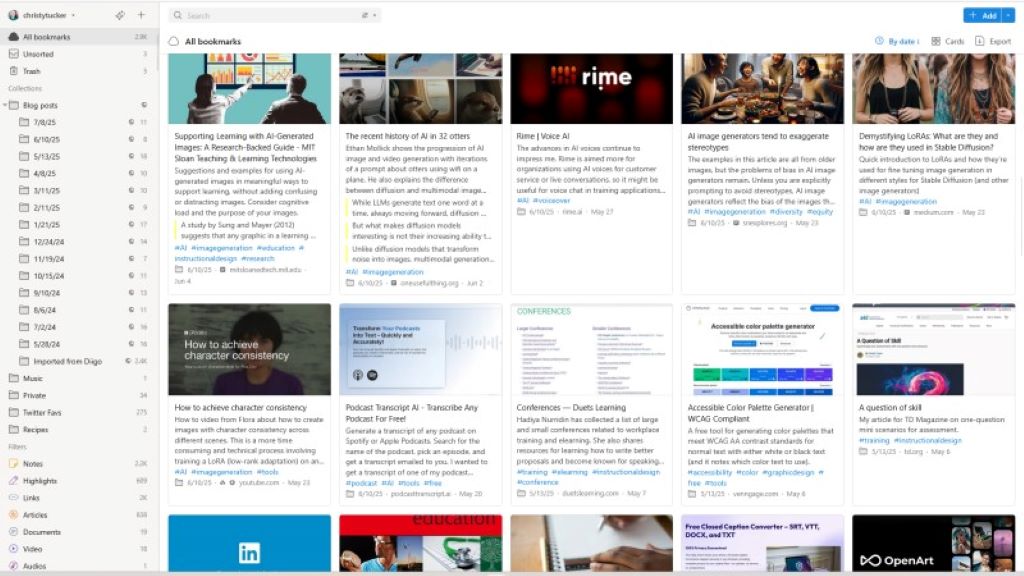
- Email marketing platforms: Mailchimp, ConvertKit, or ActiveCampaign to share gated resources.
- File hosting: Dropbox, Google Drive, or Box for large files.
- Landing page builders: Leadpages, Unbounce, or Carrd to host gated resources.
Example: A marketer might use Buffer to schedule social posts, Mailchimp to email a lead magnet, and Google Drive to host downloadable templates.
Step 4: Leverage Social Media Strategically
Each platform has unique strengths for sharing resources:
- LinkedIn: Share whitepapers, case studies, or industry reports. Use LinkedIn Articles to embed resources.
- Twitter: Share bite-sized tips with links to full resources. Use threads to break down key points.
- Facebook: Post in relevant groups or use Facebook Ads to target specific audiences.
- Pinterest: Create pins linking to blog posts or downloadable resources. Use rich pins for better visibility.
- Instagram: Use Stories or Reels to tease resources. Link to a bio link tool like Linktree.
- TikTok: Share quick tips or behind-the-scenes clips that link to full resources.
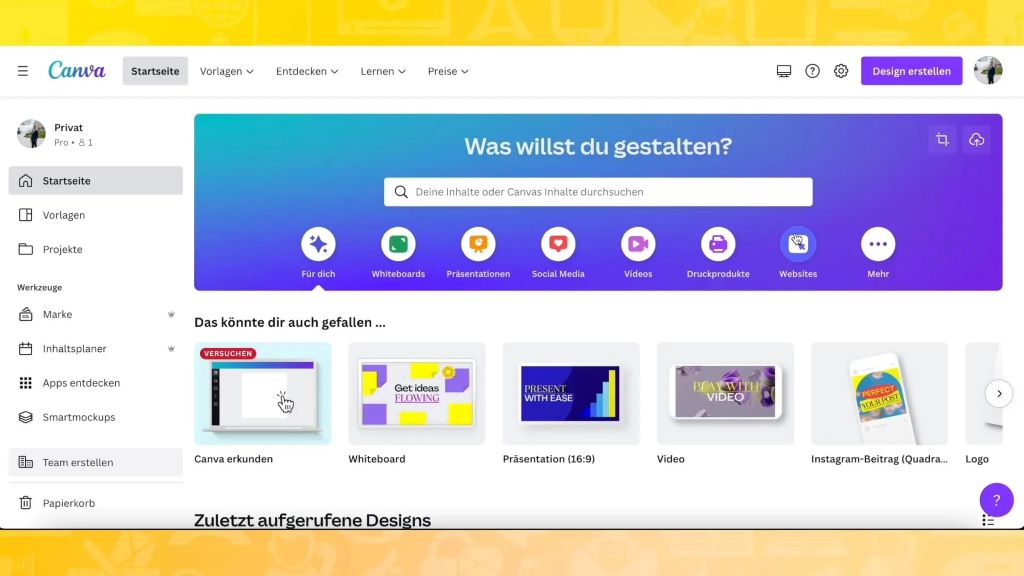
Pro tip: Use Canva to create platform-specific graphics for your resources.
Step 5: Gate High-Value Resources to Capture Leads
Gated resources (e.g., eBooks, courses, templates) require users to provide contact information to access them. Use a landing page builder like Leadpages or Unbounce to:
- Create a dedicated landing page for the resource.
- Add a lead capture form (e.g., name and email).
- Integrate with your email marketing tool to follow up with leads.
Example: A SaaS company might gate a “How to Automate Your Workflow” eBook to capture leads for their email list.
Step 6: Use Email Marketing to Nurture and Convert
Email is one of the most effective channels for sharing resources. Use it to:
- Send resources directly to subscribers.
- Nurture leads with a drip campaign that highlights different resources.
- Segment your list to send relevant resources to specific groups.
Example: An online course creator might send a free lesson to subscribers, then follow up with an offer to purchase the full course.
Step 7: Repurpose Resources for Maximum Reach
Turn one resource into multiple pieces of content:
- Blog posts: Summarize key points from an eBook or whitepaper.
- Infographics: Visualize data or steps from a guide.
- Social media posts: Share quotes, stats, or tips from your resource.
- Webinars or podcasts: Expand on the resource’s topic in a live format.
Example: A 50-page eBook can become 10 blog posts, 20 social media graphics, and a 5-part email series.
Step 8: Encourage User-Generated Content and Shares
Turn your audience into promoters by:
- Asking for shares: “Tag a friend who needs this!”
- Running a contest: “Share this template for a chance to win X.”
- Featuring user stories: Showcase how others use your resources.
Example: A design tool company might run a contest where users share their creations made with a free template.
Step 9: Track Performance and Optimize
Use analytics to see what’s working and what’s not. Track:
- Download rates: How many people access your resource?
- Conversion rates: How many downloads turn into leads or sales?
- Shares and engagement: Which platforms drive the most traffic?
- Bounce rates: Are users leaving quickly, or do they engage with the resource?
Pro tip: Use Google Analytics or Hotjar to track user behavior on your resource pages.
Content Sharing Tools: The Best Platforms for Distributing Your Resources
Tool 1: Social Media Schedulers
Schedulers save time and ensure consistent posting. Top options include:
- Buffer: Simple and intuitive for scheduling posts across platforms.
- Hootsuite: Robust analytics and team collaboration features.
- Later: Best for visual platforms like Instagram and Pinterest.
Example: A content creator might use Buffer to schedule a week’s worth of social posts promoting their latest eBook.
Tool 2: Email Marketing Platforms
Email platforms help you share resources directly with your audience. Consider:
- Mailchimp: User-friendly with automation features.
- ConvertKit: Ideal for creators and small businesses.
- ActiveCampaign: Advanced automation for complex workflows.
Pro tip: Use segmentation to send relevant resources to specific audience groups.
Tool 3: File Hosting and Sharing Services
Hosting services make it easy to share large files. Popular options:
- Dropbox: Simple sharing with link controls.
- Google Drive: Integrates with Google Workspace.
- Box: Enterprise-grade security and collaboration.
Example: A consultant might use Google Drive to share a client workbook, setting permissions to “view only.”
Tool 4: Landing Page Builders
Landing pages convert visitors into leads. Use tools like:
- Leadpages: Drag-and-drop builder with templates.
- Unbounce: A/B testing and advanced analytics.
- Carrd: Simple, one-page sites for gated resources.
Pro tip: Include a short video or testimonial on your landing page to boost conversions.
Tool 5: Link Management Tools
Short, branded links improve click-through rates and track performance. Try:
- Bitly: Free link shortening with basic analytics.
- Rebrandly: Custom branded links (e.g., yourbrand.com/resource).
- Pretty Links: WordPress plugin for managing links.
Example: A marketer might use Rebrandly to create a memorable link like yourbrand.com/free-guide.
Tool 6: Collaboration and Project Management Tools
These tools help teams share and manage resources efficiently:
- Trello: Visual boards for tracking resource distribution.
- Asana: Task management with file attachments.
- Slack: Integrates with cloud storage for quick sharing.
Pro tip: Use Slack’s file sharing integrations to keep resources accessible to your team.
Tool 7: Analytics and Tracking Tools
Track how your resources perform with:
- Google Analytics: Monitor traffic and user behavior.
- Hotjar: Heatmaps and session recordings to see how users interact with your resources.
- Bitly: Track link clicks and engagement.
Real-Life Examples: How Brands Successfully Share Website Resources
Case Study 1: The SaaS Company That 3X’d Leads With Gated Content
A SaaS company struggled to generate leads. They created a gated “Ultimate Guide to CRM Automation” eBook and promoted it via LinkedIn ads and email campaigns. By offering the guide in exchange for contact information, they tripled their lead generation in three months.
Key Takeaway: Gated resources convert visitors into leads when promoted strategically.
Case Study 2: The Nonprofit That Increased Donations With a Resource Library
A nonprofit shared free educational resources (videos, guides, toolkits) on their website. By promoting these resources on social media and email, they saw a 40% increase in donations, as supporters engaged more deeply with their mission.
Key Takeaway: Free resources build trust and engagement, leading to conversions.
Case Study 3: The Influencer Who Grew Her Audience With Repurposed Content
A fitness influencer turned her workout videos into downloadable guides, social clips, and email courses. By repurposing one resource into multiple formats, she grew her email list by 200% and increased her sponsorship deals.
Key Takeaway: Repurposing extends the life and reach of your resources.
Common Mistakes That Ruin Your Resource Sharing Strategy
1. Sharing Without a Clear Goal
Every resource should have a purpose: lead generation, brand awareness, or sales. Define your goal before sharing.
2. Ignoring Mobile Optimization
Over 50% of web traffic comes from mobile. Ensure your resources and landing pages are mobile-friendly.
3. Overcomplicating the Access Process
Too many steps (e.g., multiple forms, captchas) reduce conversions. Keep it simple: one click to download or access.
4. Neglecting SEO for Resource Pages
Optimize your resource pages with keywords, meta descriptions, and alt text to attract organic traffic.
5. Forgetting to Follow Up
Capture leads but fail to nurture them? You’re leaving money on the table. Use email automation to follow up with additional resources or offers.
6. Sharing on the Wrong Platforms
A B2B whitepaper won’t perform well on TikTok. Match your resources to the platforms where your audience spends time.
7. Not Tracking Performance
Without analytics, you won’t know what’s working. Track downloads, shares, and conversions to refine your strategy.
Expert Insights: How to Maximize the Impact of Your Shared Resources
Insight 1: Use a Content Calendar to Plan Distribution
A calendar ensures you share resources consistently and strategically. Include:
- Platforms where you’ll share.
- Dates and times for optimal engagement.
- Responsible team members for each task.
Example: Plan to share a new eBook on LinkedIn at 9 AM on Tuesday, then via email at noon.
Insight 2: Leverage the Power of Storytelling
Frame your resources as solutions to a problem. Use storytelling to:
- Highlight pain points your resource solves.
- Showcase success stories from users.
- Create urgency (e.g., limited-time access).
Example: “Struggling to close deals? Our free sales script template helped 1,000+ reps increase their close rate by 30%.”
Insight 3: Create a Resource Hub on Your Website
A dedicated page for all your resources makes them easy to find and share. Include:
- Categories (e.g., eBooks, templates, courses).
- Search and filter options.
- Social sharing buttons for each resource.
Example: HubSpot’s Academy offers a centralized hub for their free courses and resources.
Insight 4: Partner With Influencers or Brands
Collaborate with influencers or complementary brands to share your resources with their audiences. Offer them exclusive access or co-branded content.
Example: A wellness brand might partner with a nutritionist to promote their free meal plan guide.
Insight 5: Use Paid Ads to Amplify Reach
Boost high-performing resources with targeted ads on:
- Facebook/Instagram: For visual resources (e.g., infographics, videos).
- LinkedIn: For B2B resources (e.g., whitepapers, case studies).
- Google Ads: For search-driven resources (e.g., how-to guides).
Pro tip: Retarget visitors who didn’t download your resource with a follow-up ad.
Insight 6: Encourage Community Sharing
Turn your audience into promoters by:
- Offering incentives (e.g., discounts for shares).
- Creating shareable snippets (e.g., tweetable quotes from your eBook).
- Hosting a challenge (e.g., “Share how you used our template for a chance to win!”).
Insight 7: Update and Re-share Old Resources
Evergreen content can be updated and re-shared to attract new audiences. Add new data, examples, or formats to keep it relevant.
Example: A “Social Media Trends” guide from 2022 can be updated with 2024 data and re-promoted.
Related Topics:
FAQs: Your Top Questions About Sharing Website Resources Online
1. What’s the best platform to share my resources?
It depends on your audience and goals. LinkedIn and email are best for B2B resources, while Instagram and Pinterest work well for visual content.
2. How can I track how many people download my resources?
Use tools like Google Analytics, Bitly, or your email marketing platform to track downloads and clicks.
3. Should I gate all my resources behind a lead form?
Not necessarily. Gate high-value resources (e.g., eBooks, courses) to capture leads. Keep low-effort resources (e.g., blog posts, short videos) ungated for brand awareness.
4. How often should I share my resources on social media?
Share new resources 2-3 times in the first week, then periodically (e.g., monthly) as part of your content calendar.
5. What’s the best way to repurpose a long-form resource like an eBook?
Break it into smaller pieces:
- Blog posts: One chapter per post.
- Social clips: Key stats or quotes as graphics.
- Email series: Send one tip per email.
- Infographics: Visualize data or steps.
6. How can I encourage more shares of my resources?
- Make sharing easy: Include social sharing buttons.
- Offer incentives: Contests or giveaways for shares.
- Create shareable snippets: Tweetable quotes or Instagram-friendly graphics.
7. What’s the best way to organize my resources for easy access?
Use a content management system or cloud storage with a clear folder structure. Tag resources by topic, audience, and type for quick searching.
Conclusion: Turn Your Website Resources Into a Lead-Generating Machine
Sharing website resources effectively isn’t about blasting your content everywhere. It’s about understanding your audience, choosing the right platforms, and leveraging tools to maximize reach and engagement. By defining your goals, optimizing your resources, and using a mix of organic and paid distribution, you’ll transform your content into a powerful tool for lead generation and brand growth.
Remember: The best resources are those that solve a problem for your audience. Focus on providing value, and the shares, leads, and conversions will follow.
Your next step? Pick one resource from your library and plan its distribution using the strategies in this guide. Start with one platform (e.g., LinkedIn or email) and track the results. The more you share strategically, the more your resources will work for you.
Ready to Share Your Resources Like a Pro?
Choose one content sharing tool from this guide and set it up today. Whether it’s scheduling social posts with Buffer or creating a landing page with Leadpages, every step brings you closer to a audience that engages, converts, and grows.
Your path to seamless resource sharing starts now.