

You’re standing in a bustling Tokyo ramen shop, the menu is entirely in Japanese, and your phone’s battery is at 8%. Your dream trip is turning into a stressful game of charades. You need a real-time solution, but with so many devices on the market, how do you choose the right one without wasting hundreds of dollars? This guide breaks down exactly how to compare AI earpiece translators so you can travel with confidence, not confusion.
AI earpiece translators are wearable devices that listen to foreign languages and speak a translation directly into your ear in real time. They solve the universal problem of language barriers, moving beyond awkward screen-holding and mumbling into a phone. But not all translators are created equal; some excel in connectivity, while others prioritize battery life or language breadth. By learning the critical specs and real-world performance indicators, you can make an informed choice and actually enjoy the journey rather than just surviving it.
What Are the Core Differences Between AI Translation Earpieces?
The market splits into two primary categories: real-time bidirectional translators and app-dependent earbuds. The core difference lies in whether the device processes the translation onboard (standalone) or relies on a smartphone app to process the audio. Understanding this distinction is your first step toward finding the perfect travel companion.
Standalone Translators vs. App-Dependent Earbuds
Standalone translators, like the Timekettle M3 or WT2 Plus, have built-in microprocessors and can function without a phone in specific offline modes. App-dependent earbuds, however, are essentially high-quality microphones that send audio to your phone’s translation application. While the latter are often cheaper and better at audio playback, they are completely useless if your phone dies.
Why Hardware Processing Matters for Battery Life
In-device processing is a massive battery saver. If your earpiece has to stream audio to your phone, process it, and stream it back, the Bluetooth connection drains rapidly. Standalone devices manage power more efficiently because the processing happens inside the earbud. For a full day of sightseeing, this efficiency means the difference between having a translator for your dinner reservation and carrying a dead gadget in your pocket, If you are expanding your digital portfolio beyond travel tech into niche web development, you might also find it helpful to learn how to Design a Real Estate Website Tailored for the Orlando Market.
The Role of Speaker Count and Mic Arrays
You might think all translators hear the same, but they don’’t. Higher-end models feature multiple microphones (dual or quad arrays) to isolate your voice from background chatter. Earpieces with a single speaker display dialogue text, while those with dual speakers allow for a two-way conversation, where one person wears the left bud and the other wears the right. This “split-mode” is crucial for negotiating or having meaningful conversations.
Why Is Latency (Lag Time) Critical for Natural Conversation?
Latency is the delay between when a person stops speaking and when the translation hits your ear. For natural flow, you need a latency of under two seconds. Anything above that creates awkward pauses that make conversations feel robotic and unnatural.
How to Test Latency Before You Buy
You cannot test latency in a spec sheet, but you can look for reviews where users speak at a normal pace. Look for YouTube videos where reviewers actually converse with locals. If the reviewer is constantly saying “Sorry, can you repeat that?” or the translation feels staggered, the latency is likely too high.
Comparing Simul Interpretation Features
Some flagships now offer “simul interpretation,” which translates the audio as it is being spoken. This is faster but often less accurate. For travel purposes, “touch-to-talk” modes usually yield better accuracy because they capture a complete sentence before translating it. Decide if you want speed or accuracy, as you usually cannot have both.
Which Languages Are Essential for Your Destination?
You need to check the language pair map. Most devices advertise “40 languages,” but they fail to mention that some languages are poorly optimized. Japanese-to-English is usually excellent, but Polish-to-Thai might be glitchy or only available via a cloud service.
Offline Capabilities: The Travel Lifesaver
You will be in subways, mountains, and remote areas with poor signal. A translator that relies solely on Wi-Fi or 4G is a liability. Look for earpieces with robust offline language packs. These packs usually require a large download (~1GB per language) and are limited to “essential phrases,” but they are often the difference between ordering food and starving.
Understanding Dialect Nuances
Check if the translator supports specific dialects. Does the Spanish pack include Latin American variants, or is it Castilian only? Does the Chinese pack support Cantonese as well as Mandarin? Top-tier devices allow you to select the region, which dramatically improves the accuracy of the translation.
How Does Battery Life Impact Daily Usability?
A translation earpiece with a 4-hour battery life is insufficient for a full travel day. You need a device that offers continuous use for at least 6 hours, supplemented by a charging case that offers at least two full charges.
Calculating Wearable Hours vs. Charging Speed
There is a difference between “standby time” and “talk time”. A device might last 24 hours on standby but only 1.5 hours when actively translating. Always look for the “talk time” or “continuous translation time” spec. Also, check if the case supports fast charging—a 15-minute charge to get 2 hours of use is a massive convenience on a busy schedule.
The 5% Rule for Airport Strangers
Consider multi-day scenarios. If you use the translator for 3 hours a day, you need a case that holds 3-4 extra charges. Relying on a wall socket mid-day in a foreign country is a hassle. Dedicated travel translators prioritize this portability, whereas consumer earbuds like AirPods are not engineered for this use case.
What Is the “Split Mode” and Do You Actually Need It?
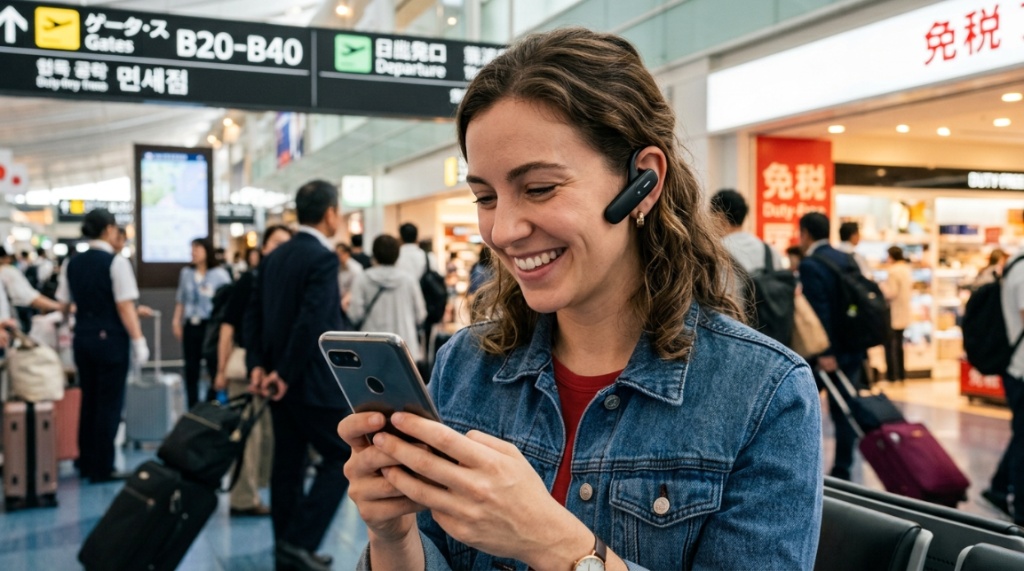
Split mode is the feature where you share your earbuds with the person you are speaking to. You wear the left bud (which captures your language and plays theirs) and they wear the right bud (which captures theirs and plays yours). It is revolutionary for face-to-face conversations.
Pros and Cons of Two-Way Conversation
- Pros: Creates a natural “human” interaction rather than looking at a phone screen; essential for negotiations.
- Cons: Requires the other person to be willing to put a foreign device in their ear; hygiene concerns for some users.
When to Stick with Speaker Mode
For ordering food, asking for directions, or shopping, speaker mode (where the phone plays the audio aloud) is often more appropriate. It is less invasive. Ensure the earpiece allows you to switch between these modes easily via physical buttons or a simple tap, not a deep menu dive on the app.
How Important Are Audio Quality and Comfort?
One major complaint about budget translators is that they sound like robots. You need a device with high-fidelity speakers that renders the human voice clearly. Muffled audio makes it harder for you to understand the pronunciation of the foreign language you are trying to learn.
Selecting the Right Fit for All-Day Wear
Comfort dictates usage. If they hurt your ears after 30 minutes, you will stop using them. Look for ergonomic earbuds with multiple ear tip sizes (S, M, L). Some models use a neckband design, which distributes weight and reduces ear fatigue, making it easier to wear for long museum tours.
Noise Cancellation for Chaotic Streets
Translators rely on the microphone hearing you clearly. Active Noise Cancellation (ANC) for the microphone (not just for your listening experience) is vital. A device with good ENC (Environmental Noise Cancellation) will ignore the honking horns and focus on the human voice directly in front of you.
Can You Rely on AI Accuracy for Complex Conversations?
AI earpiece translators are fantastic for travel, but they are not certified interpreters. They handle simple, clear sentences remarkably well, but struggle with idioms, sarcasm, or heavy accents. Accuracy rates are often cited as 95%, but that drops significantly in noisy environments or with verbose speakers.
Setting Realistic Expectations for Slang and Idioms
Do not expect the translator to understand “It’s raining cats and dogs.” It will translate literally. Stick to short, direct sentences. Say “The price is too high” instead of “That’s a rip-off.” This “machine-friendly” speaking style dramatically increases the accuracy rate of the translation.
The “Back-Translation” Test Method
A quick way to test accuracy is the “back-translation” method. Speak a sentence into the device, have it translate to your target language, and then translate it back to English using the same device. If the final English is close to your original, the translation logic is sound. This is the ultimate test of the AI engine’s reliability.
Which Budget vs. Premium Features Actually Matter?
Prices range from $50 to $500. The cheap ones are often just Bluetooth earphones with a limited translation app. The premium ones are dedicated computers. While you do not need a $500 device for a casual vacation, spending a bit more ensures the hardware is robust for travel.
Breaking Down the Cost-to-Feature Ratio
| Feature | Budget ($50-$100) | Mid-Range ($150-$300) | Premium ($300+) |
|---|---|---|---|
| Offline Packs | Limited | Good | Extensive |
| Latency | 3-5 seconds | 1-2 seconds | <1 second |
| Mics | Single | Dual | Quad (Beamforming) |
| Battery Life | 3 hours | 5-6 hours | 8+ hours |
| Display | Phone only | Phone + small screen | Touchscreen on device |
Checking Connectivity and Bluetooth Range
When using the speaker mode on your phone, ensure the Bluetooth range is sufficient. If you place your phone in a backpack, you need a Class 1 Bluetooth headset that can maintain a stable connection through clothing and water in your body. A poor connection causes stuttering which ruins the translation flow.
Ecosystem and App Quality
The app is the cockpit of your device. If the app is buggy, the hardware is useless. Look for apps that are continually updated, support cloud-based translation for emerging slang, and allow you to save/permanently store translation history for later reference. A good app makes the device invisible; a bad app makes it infuriating.
Which Brand Is Best for Which Traveler?
Different travel styles demand different tools. A business traveler on a strict schedule has different needs than a backpacker. Understanding these archetypes helps you narrow the vast market of AI earpiece translators to specific models that suit your itinerary.
The Business Traveler: Prioritizing Speed
For closed-door meetings, speed and battery life are king. Devices like the Timekettle X1 Interpreter Hub are popular here because they offer a “touch to interpret” function and support for 40+ languages over a large screen. This is a professional-grade tool designed for negotiations, not casual chats.
The Backpacker: Prioritizing Price and Offline Mode
Backpackers need durability and offline functionality. Look for models with high IP ratings (waterproofing) and physical buttons that you can press with gloves. Cheaper models like the WT2 Plus 12+ generations are suitable here if they have good offline packs for the specific regions on your route.
How Do You Test for Connectivity Issues in Crowded Areas?
In crowded airports or central stations, Bluetooth interference is massive. Everyone is using airpods, and the 2.4GHz band is crowded. High-end translators use advanced Bluetooth settings or UWB (Ultra-Wideband) to avoid this interference.
Why Some Devices Stutter in Crowds
Audio stuttering occurs when the device has to resend lost data packets. This is annoying. To mitigate this, look for devices that support LDAC or AAC codes, which handle packet loss better. Also, keep the phone as close to the earpiece as possible—direct line of sight is best.
The Emergency “Text Display” Backup
Always check if the translator has a companion function on the phone where the text shows on the screen. If the audio connection drops, you can still read the translation. This visual backup is essential for critical moments like discussing medical issues or legal matters.
What Does the Future of Instant Translation Look Like?
The technology is moving toward “augmented reality” integration and near-zero latency. We are seeing the death of the “phone as a middleman.” Future devices will have on-device Neural Processing Units (NPUs) that handle massive language models independently, making them faster and more private.
The Shift Toward Invisible Tech
Travelers want tech that disappears into the background. Expect to see translators that look exactly like your standard gym earbuds, with no physical buttons and gesture controls. The trend is moving away from bulky pendant-style translators and toward sleek, invisible earbuds that simply translate whenever you speak.
Choosing the Right Device for Your Specific Trip
Before you click “Buy,” check the specific language pair quality for your destination. If you are going to Japan, you need a device that is excellent at Japanese. If you are going to Germany for business, you need one that handles technical vocabulary. Always google ” [Device Name] + [Language] review” to see specific performance issues.
Buying Guide: The Ultimate Checklist
- Set a Budget: Under $100 for basic needs; $200+ for full functionality.
- Check Latency: Look for under 1.5 seconds in reviews.
- Verify Offline Packs: Download the specific languages you need.
- Test Fit: Ensure they stay in your ears when chewing and walking.
- Read App Reviews: A bad app ruins a good device.
Frequently Asked Questions
Do I need a phone for AI earpiece translators to work?
Most require a phone for the initial setup and for cloud translations, but the best models offer offline mode. For offline use, you must pre-download language packs while connected to Wi-Fi. Standalone models with on-device AI require no phone during use.
Is there a monthly subscription fee for translation services?
Generally, no. Most earpieces include free translation for their lifetime. However, some features like specific advanced cloud translation engines (Google Cloud or Azure) might charge the manufacturer, but those costs are usually passed on in the initial hardware price, not as a subscription to the user.
Can two people use the earpieces together in split mode?
Yes, this is a core feature of premium models. The left earbud plays one language, and the right earbud plays another. This allows two people in different countries to have a natural conversation without any physical barriers.
How accurate are AI translators compared to human interpreters?
For basic travel phrases, accuracy is above 95%. For complex matters (legal, medical, highly technical), they are only about 70-80% accurate. It is recommended to speak slowly and in simple sentences to increase accuracy. They are a tool for basic communication, not a replacement for professional human services.
Are the cheapest earpieces worth buying?
If the price is below $50, you are paying for standard Bluetooth earbuds with a free app. They will often disconnect, have terrible latency, and poor microphone quality. They are not worth buying even for casual trips. Consider these a false economy.
How long does it take to sync the translators with the app?
Modern translators sync in under 15 seconds via Bluetooth. You should be able to pair the earbuds, open the app, select your language pair, and be ready to translate within one minute of opening the charging case. If it takes longer, the software design is poor.
Verifying Security and Privacy
When using a translator, you are broadcasting your conversations to the cloud. For most travel, this is fine. However, if you are discussing business proposals or sensitive personal data, check the manufacturer’s privacy policy. Look for devices that offer on-device encryption or local processing.
Understanding Data Handling Policies
A trustworthy brand will state they do not store audio recordings permanently. Look for a “privacy mode” that keeps audio processing on the device. While rare, this feature is critical for cementing trust and ensuring that your conversations remain yours, even when traversing international borders.
Conclusion
Choosing the right AI earpiece translator isn’t about finding the most expensive gadget; it’s about finding the one that fits your destination, your budget, and your comfort level. Start by defining your trip type, then prioritize latency and offline capabilities over flashy marketing specs. Remember to verify the accuracy of your specific language pair and test the comfort of the fit. A great translator turns strangers into friends and obstacles into opportunities. Don’t settle for a tool that adds frustration to your journey. Select one that feels like an extension of your ears, and travel the world without boundaries.